Local business
Promo videos for a business people walk into
A bakery, a florist, a barber, a dog groomer, a bike shop. Your customers live within a few miles and find you on their phones. Paste your website and you get 4 short videos made from your own photos, your own words and your neighbourhood, for Instagram, Facebook and your Google listing.
Written by Masab Farooque, who builds and runs UrlToReel · Updated
A 15 second square post. It opens on every loaf, every morning, counts the bakeries in the Bay Area, Los Angeles and Korea, then shows photos from the site and ends on Order.
tartinebakery.com/I made this from the public home page of Tartine Bakery. UrlToReel isn't affiliated with Tartine Bakery.
From your website to a post your neighbours see
- Step 1
Check the page says where you are
Your area, your street or the landmark people know you by, written on the page. The video can only mention what the page does.
- Step 2
Paste your home page
For a small site this is usually the right link. The app also reads a few of the pages it links to, such as services, prices and about.
- Step 3
Post it where locals look
The square size for Facebook and local groups, the vertical size for Instagram and TikTok, and a short one for your Google Business Profile.
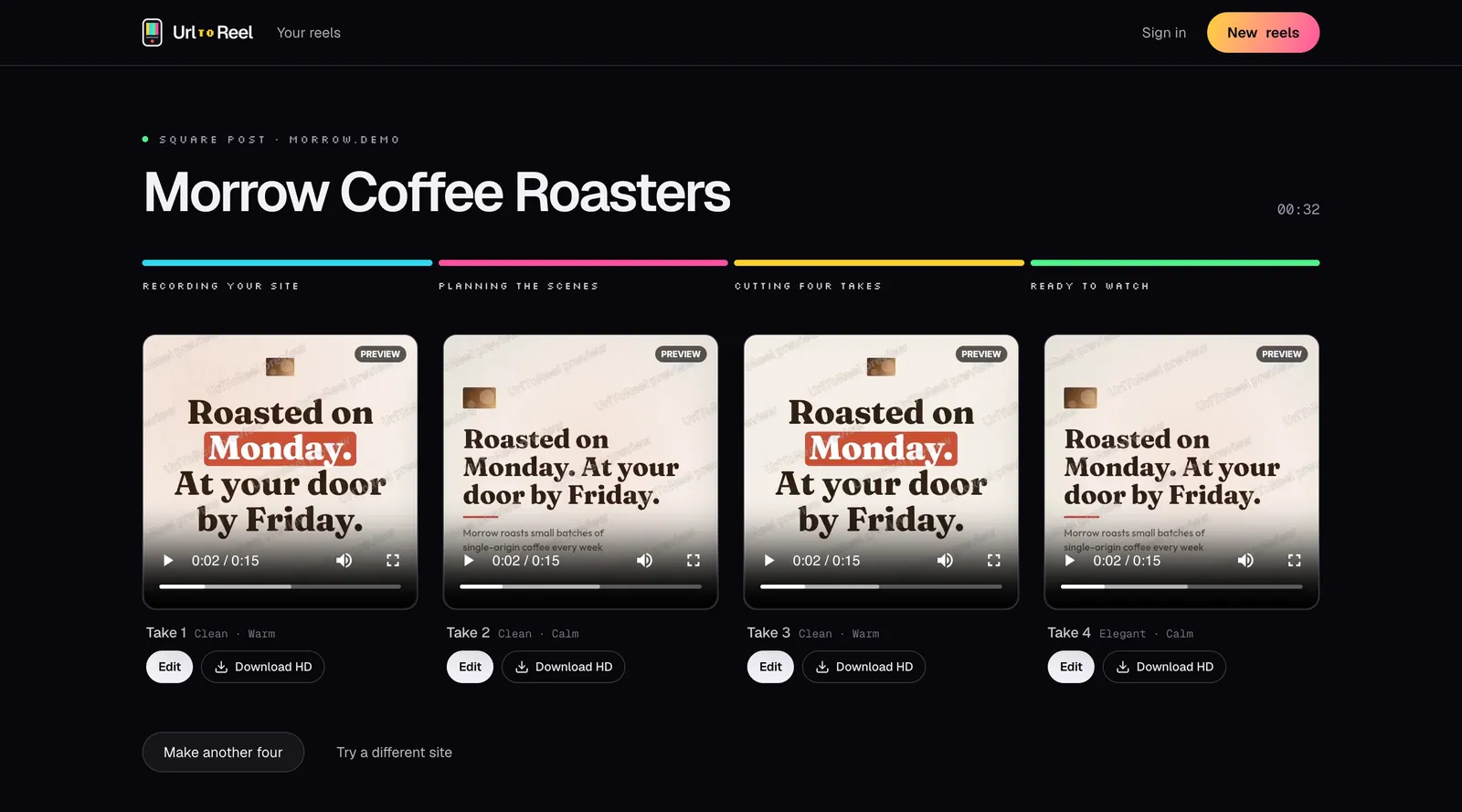
What a small local website gives the video
Photos of your own place
The shop front, the counter, the work, the people. Customers recognise the place they will walk into, which stock footage can never do.
The figures you are proud of
Years trading, number of shops, five star reviews. A number written on your page can open the video, the way Tartine counts its bakeries.
The button you already have
Order, Book, Call, Get a quote. The video ends on your page's own short button, or one you set in the brief, with your web address under it.
Which page to paste, trade by trade
For a one or two page site, paste the home page. The app reads it and up to 4 of the pages it links to, which covers most small sites. For a bigger site, paste the page about the one thing you want to sell this month. A single page link makes the video from that page alone, which keeps it focused.
Some trades have their own quirks, so I wrote separate pages for them. Restaurants and cafes mostly struggle with menus posted as PDFs, which the app cannot read. Gyms and fitness studios do best from an intro offer page, not the timetable. Salons and spas often keep their prices inside a booking app the video never sees. Coaches sell a person, so the testimonials and the discovery call button matter most. Estate agents get a special listing mode that turns one property page into a tour of its photos. Each of those has its own page on this site, listed under Uses.
For everyone else, from plumbers and florists to driving instructors and dog groomers, the rule is the same. The page needs photos of your work, a few short lines about what you do and where, and one clear button. If the page has no short button of its own, the video may end on a stock button such as Get a quote, which suits a roofer more than a florist. Set your own words in the brief.
Adding the video to your Google Business Profile, step by step
Your Google profile and your website should match
For many local businesses, the Google listing is the first thing a new customer sees, before the website. People search "florist near me", see your listing on the map, and decide from the photos and the reviews. You can add a short video to that profile, and the square or vertical take from your website is a good fit. I wrote a separate page on what Google accepts and how to add it.
Before you make the video, check that your website and your Google profile agree. Same name, same address, same phone number, same hours. The video ends on your web address and your button, so someone who watches it on your Google listing and then taps through should find the same information there.
The app reads your website only. It does not pull photos, reviews or hours from your Google profile. If your best reviews are on Google, quote two or three of them on your home page, with the name the reviewer used, and they can become a scene.
Opening hours and the neighbourhood
Opening hours are the most asked question a local business gets and one of the least likely things to make it into a promo video. A block of seven days and times is a table, and tables do not fit a 30 second scene. If something about your hours is the news, write it as one line on the page: "Now open Sundays, 9am to 2pm" or "Open late every Thursday". One line like that can be a scene. For anything else, type it into a scene yourself in the editor.
The neighbourhood works the same way. Locals choose a place partly because it is theirs: on their high street, next to the station, the corner shop that has been there twenty years. Put that on the page in plain words, in the headline or the first few lines: "Bakery on Church Street since 2002", "The bike shop by Clapham Common". Lines near the top of the page, like the headline, carry the most weight when the app picks what to say first, so a line like that has a good chance of opening the video.
If your only web presence is a Facebook or Instagram page, this is the wrong tool for now. Those pages often ask visitors to log in, and the app does not read pages behind a login. A one page website with your photos, your area and a button is enough.
A local calendar of reasons to post
A local business has more natural reasons to post than most. Each one is a reason to update a page and make a new set. When you make reels for the same site again, the app uses different looks, openings, music and facts from your earlier sets, so a regular customer does not see the same video twice.
- Small Business Saturday: the first Saturday in December in the UK, the Saturday after Thanksgiving in the US. Post the week before.
- Christmas and holiday hours: write the changed hours on the home page as one line, then make the set in early December.
- Summer fairs, street festivals and markets: if you have a stall, add a short page with the date and where to find you.
- Back to school in September: for anyone selling to families, from shoe shops to tutors.
- Your anniversary: "10 years on the high street" is the kind of line people share.
- A new product, service or member of staff: give it a few lines and a photo on the page first.
How the Tartine reel was made from its home page
I pasted tartinebakery.com and asked for a square post, 15 seconds long. It opens on the Tartine Bakery name on a pale background, then a gold pill reads "Every loaf, every morning." with a line from the site under it about modern craft, good food and warm experiences.
The next scene is a set of numbers under "Our bakeries across three countries": 4 Bay Area locations, 7 Los Angeles locations, 8 Korea locations, counting up one after the other. A rounded Tartine badge drops in, then a grid of tiles from the page with photos of a cake being iced, a slice of toast and a croissant, and the labels Tartine Happenings and Tartine at home. One photo, the cake being iced, then fills the frame.
It ends on "Welcome to Tartine" with an Order button, and the wordmark with tartinebakery.com. In 15 seconds it says what Tartine makes, where it is and what to do next, all from the words on its home page. None of those numbers came from anywhere but the page. A bakery with one shop and no figures on its site would not get that scene at all, which is why the page itself matters so much.
Small habits that make local videos better
- Use a photo of your shop front or your work as the biggest photo on the home page. That is the one most likely to open the video.
- Share the square take in your area's Facebook groups, where neighbours ask for recommendations.
- Pin your best take to the top of your Instagram profile so new followers see it first.
- Show the video on the screen by the till or in the window, if you have one.
- Keep your address in plain text on the page, not only in an embedded map, which the app cannot read.
Who is behind this
I'm Masab Farooque, and I build and run UrlToReel myself. Bug reports, feature requests and support emails all come straight to me.
If something in your reels looks wrong, write to me and I'll look at it myself. hello@urltoreel.com
Masab Farooque, maker of UrlToReel
Good to know
Something else? Ask us directly
My website is only one page. Is that enough?
Usually, yes. A page with a few photos, a few lines about what you do and where, and a button makes 4 videos. If it links to services, prices or about pages, the app reads some of those too.
Will the video show my opening hours?
Not reliably, because a table of hours does not fit a short scene. Write any change as one short line on the page, or type your hours into a scene in the editor.
Can it use my Google reviews?
Not directly. It only reads your website. Quote a few Google reviews on your home page and they can appear in the video.
Can I add my phone number or address?
Yes. The last scene shows your web address and button, and you can type a phone number, an address or your area into any scene in the editor.
What does it cost a small business?
Nothing to make and edit, with a small watermark on previews. A full HD download without it comes from packs of 2 for $5, 5 for $10 or 12 for $20, and unused downloads never expire.
Try it on your own site
It's free until you download, and it takes about 5 minutes.