AI reel maker
An AI reel maker that reads your website
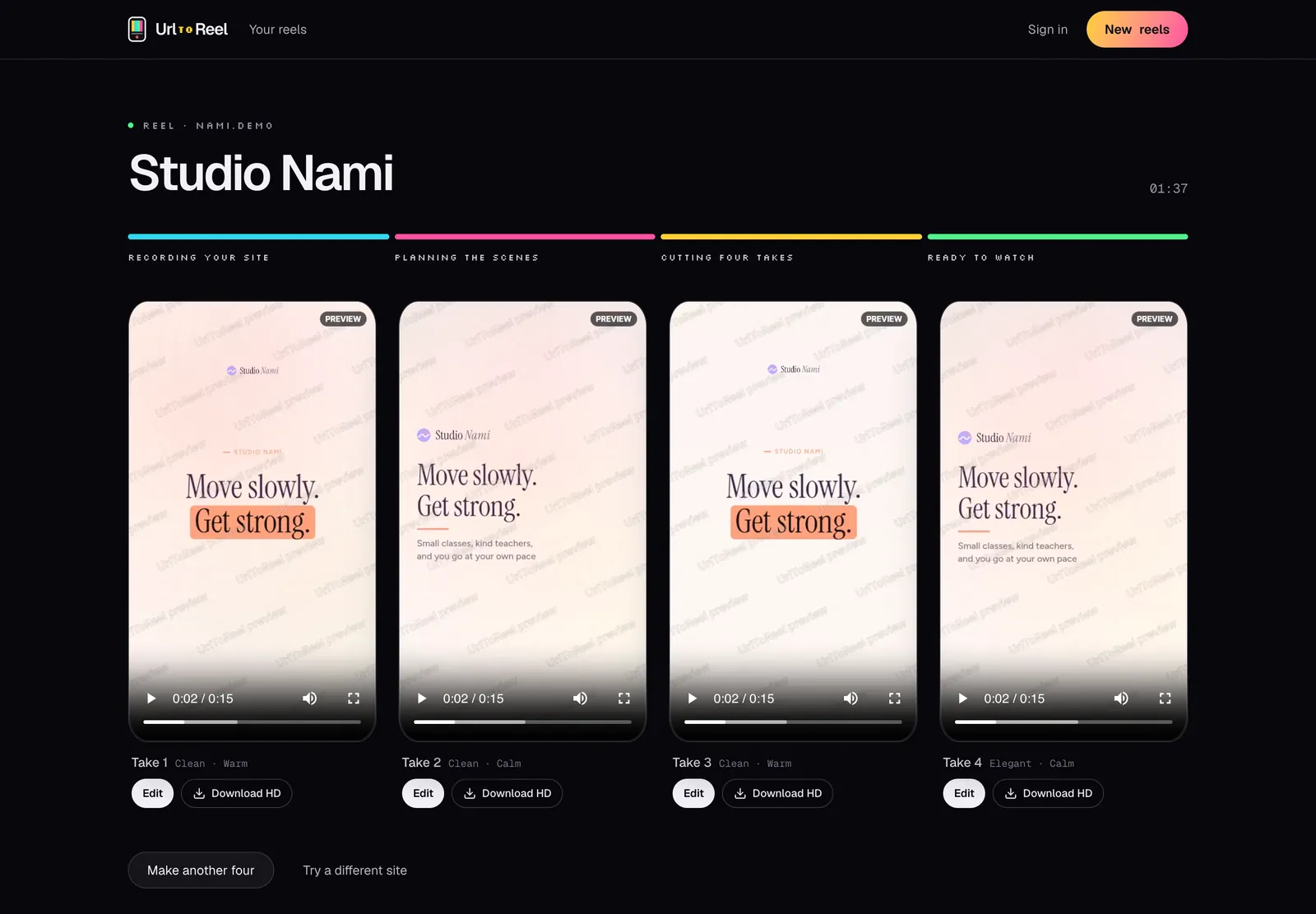
Type a prompt into most AI video tools and you get stock clips that could belong to anyone. This one works from your actual site. It reads the page, picks the lines worth saying and cuts 4 reels from your own screens, photos and colours.
From link to video in three steps
- Step 1
It reads the page
The headline, prices, reviews, photos, fonts and colours. It also looks at a few of your other pages to understand what you offer.
- Step 2
It plans 4 different reels
Each take opens on a different line, like a number, a question or a review, and gets its own music and order of scenes.
- Step 3
You make the final call
Open any take in the editor and change what you like. Nothing gets posted unless you download it and post it yourself.
What the AI does, and what it leaves alone
It does not make up facts
Prices, ratings and review counts are copied from your page exactly. If a number is not on your site, it does not show up in the reel.
Your screens, not stock footage
The pictures come from your site, recorded on a phone and a laptop. People who tap through land on a page that looks like the video.
It knows a few rules
Some businesses cannot use certain words. A mutual fund distributor in India, for example, gets reels without words like advice, plus the standard risk line at the end.
Why start from a website and not a prompt
A prompt is a short guess at what your business is. Your website is the real thing. It already has your best headline, your prices, your photos and the words your customers used in reviews.
So instead of asking you to describe your business, we read the page you point us at. The AI's job is to choose and arrange, not to invent. It picks the strongest lines, decides what to open on and fits it all into 30 seconds.
That also makes the result easier to trust. When a reel says 4.8 out of 5 from 930 reviews, that number came from your page, and anyone can check it.
Tips for better AI reels
- Point it at a page with a clear headline and a few real numbers. Those make the strongest openings.
- If your site has reviews, use a page that shows them. A good quote often becomes the best take.
- Fix typos and old prices on the page first, because the reel copies what is there.
- Pick a Look and Music mood yourself if you know what you want, or let it choose for each take.
Who is behind this
I'm Masab Farooque, and I build and run UrlToReel myself. Bug reports, feature requests and support emails all come straight to me.
The reel here is one of the 4 it made from my own site, masabfarooque.com, with nothing changed.
If something in your reels looks wrong, write to me and I'll look at it myself. hello@urltoreel.com
Masab Farooque, maker of UrlToReel
Good to know
Something else? Ask us directly
Do I have to write a prompt?
No. You paste a link and pick a size. Everything else comes from the page.
Will it use stock videos?
No. Every picture in the reel comes from your site: scrolls of your pages, your product photos and your logo.
Can it add a voice-over?
Yes. For 2 credits a natural voice reads a short script written from your page, on all 4 takes. You can also record your own voice in the editor.
What if it gets something wrong?
Open the take in the editor and change it. Every word, picture, colour, song and scene can be edited, and editing is free.
Try it on your own site
It's free until you download, and it takes about 5 minutes.